According to the SHRM Talent Access Report, the mean time for the filling of a post has reached 42 to 54 days, and the scheduling postponements take up a great part of the mentioned period. In case you are interested in making use of interview scheduling software, you can find useful information in the following buyer’s guide dedicated to your needs and the software’s virtues.
Here you will not find any theory, only practice: three categories of tools and the descriptions of their best application, seven features that have to be present in tools, pricing, and potential hidden payments, plus a five-step buying process and the questions to vendors you should ask before the purchase.
Do You Actually Need Interview Scheduling Software?
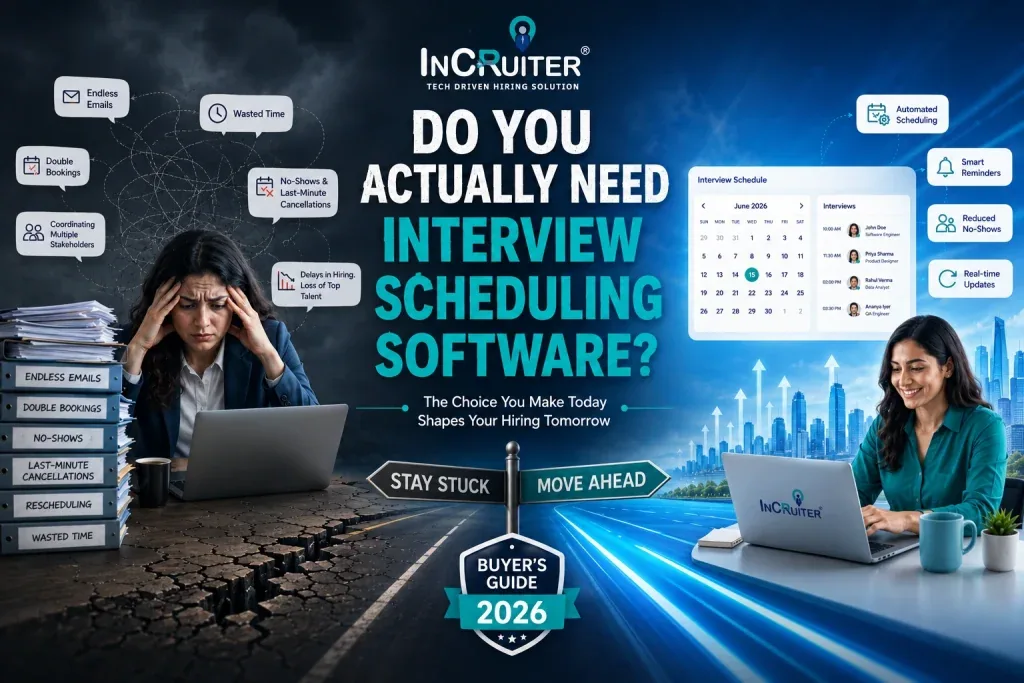
When considering investment in interview scheduling software, the organization must be guided not by the latest tech trends, but by a realistic assessment of the costs and time spent coordinating interviews at present.
The main criterion for introducing new technology will be the correlation between the time spent by the recruitment team on communication and scheduling administrative tasks.
The more time is spent on these activities instead of directly evaluating candidates, the greater the loss in terms of missed opportunities, as most high-quality applicants choose the most efficient companies in their market.
The following subsections highlight that if you are seeing this in your company, then it’s time to buy or invest in an interview scheduling tool subscription.
4 Signs It’s Time to Invest in Interview Scheduling Technology
- Admin Overhead
Your coordinators spend 80% time doing menial tasks like copying and pasting email templates and checking availability, instead of engaging with prospects and driving the actual hiring process. You are essentially wasting human resources on simple scheduling-related tasks that could reduce the time to hire with scheduling software.
- Pipeline Drop-offs
It becomes too easy for your applicants to forget about their scheduled interviews and cancel them, making your calendars, and consequently, your hiring managers’ time, wasted. You can only track interview attendance through phone or WhatsApp calls, which is highly ineffective and unprofessional.
- Scheduling Friction
Your recruiters are many times calculating ICL differences for your worldwide talent pool, and consequently, missing meetings and holding calendar slots of other interviewers, instead of being focused on the actual interview process, resulting in high levels of frustration for all stakeholders.
- Scale Inefficiency
Your current recruiting processes are unable to scale with the increased need for headcount, creating a situation where your recruiters scramble to schedule numerous interviews at once, resulting in mass cancellations of appointments by candidates.
When is a Basic Calendar Invitation Enough?
You only have to schedule a few people per year within a limited local area. A basic version of a candidate interview scheduling software is only necessary when you have to recruit several people on a regular basis.
The Types of Interview Scheduling Tools
Before buying, identify the category of tools most relevant to your case. The main reason why buyers get confused when comparing interview scheduling software is that they try to sort out tools meant for different categories as if they are equal.
| Platform Type | Best For | Key Limitation |
| Manual Recruitment Scheduling | Low-volume hiring and small teams with simple, single-stage interview processes. | Slow email coordination that leads to candidate drop-off. |
| Automated Conversational AI Booking | High-volume hiring, rapid scaling, and complex multi-stage panel interviews. | No lamination, handle end-to-end interview scheduling workflow. |
The Ultimate Interview Scheduling Software Feature Matrix for Buyers
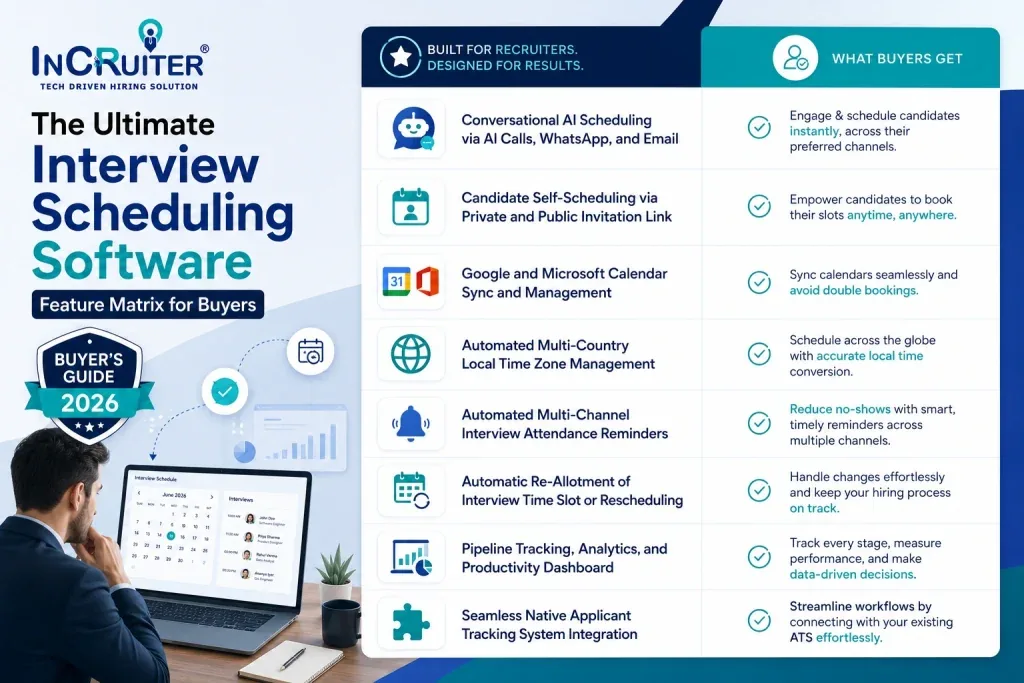
Here are the features that are a must-have in any quality scheduling tool. You should consider these features a baseline and look to address any additional requirements through the customization and extensibility capabilities of the software.
Conversational AI Scheduling via AI Calls, WhatsApp, and Email
This feature allows you to automatically set up interviews for all candidates interested in your open positions. Candidates who express interest in the role will be able to schedule a meeting with your hiring manager via a conversational AI that asks them for availability, checks managers’ availability, and sets up a meeting.
Candidate Self-Scheduling via Private and Public Invitation Link
Through this feature, candidates are able to look over their options, which we put forward for what will best suit them, which in turn also works for the rest of the hiring team. Also, it is important to have all options available to you so as to avoid wasting everyone’s time, which in high-volume recruitment campaigns.
Google and Microsoft Calendar Sync and Management
This feature allows you to sync interviewer calendars directly within the scheduling tool to avoid double-booking, which occurs when there is no visibility into panel slots. It also allows the system to make sure there are no internal calendar clashes before confirming interviews with candidates, while also making sure your hiring managers’ time is managed effectively.
Automated Multi-Country Local Time Zone Management
This feature allows the system to view your internal team members’ and candidates’ time zones and schedules in real-time to avoid scheduling conflicts. It helps manage local and international interviews across different geographical locations with varying time zones and daylight saving periods.
Automated Multi-Channel Interview Attendance Reminders
Automated reminder of upcoming interviews through text messages, WhatsApp, or email could be a great choice to get attendance of candidates for their interview at a selected time. This method cuts down time and cost incurred because of rescheduling and cancellation of the interview, as the reminder can be instantly sent as soon as the candidate informs the company of their unavailability for the interview.
Automatic Re-Allotment of Interview Time Slot or Rescheduling
It is an enterprise-friendly solution that saves time of the interviewer if the candidate cancels or reschedules the interview. This system allocates the new time slot in case the candidate cancels or reschedules the interview. It ensures that the vacant slot due to the cancellation or rescheduling of the candidate is taken up by the other candidates.
Pipeline Tracking, Analytics, and Productivity Dashboard
This feature allows you to track the efficiency of your hiring team and the value of the software by providing a bird’s-eye view of the entire process and a set of recruiting analytics. You can monitor the productivity of your recruiters, keep track of KPIs related to the scheduling software, and investigate the main pain points that require your attention.
Seamless Native Applicant Tracking System Integration
This will help you in connecting your Applicant Tracking System with the scheduling tool so that all information about the candidates is in one place. This will ensure that whatever actions your recruiters take within the scheduling tool are automatically updated in the ATS, thereby eliminating the need for manual updates on multiple platforms, as they will automatically synchronize.
Beyond the Feature List: The 4 Factors Recruiters Forget to Vet
1. Global Enterprise Security and Compliance
Most likely, when you think of user-friendly tech, enterprise-grade data safety does not come to mind. This is the reason why many security certifications are compromised to meet the intuitive dashboards. If any of your shortlisted tools are unable to prove they are SOC II compliant or that they have been through the ISO 27001 or GDPR certification process, coverage by enterprise IT departments will be rejected, and you will waste months of valuable time.
2. Actual Platform Implementation Timeframe
Few buyers factor in the painstaking configuration process required to launch a new solution and make it productive. At the discovery stage, always ask about the approximate amount of time region-specific regulatory adjustments, internal directory synchronization, and user training sessions will take. Otherwise, your onboarding delays will cripple the hiring pipeline.
3. Frictionless Interview Scheduling Experience
It’s crucial to look beyond your own dashboard and evaluate the recruitment software from both sides of the transaction. If you need to convince your candidates to download additional software to schedule interviews, low adoption rates are inevitable. Similarly, forcing your internal managers to interpret cryptic interface elements during the interviewing process will produce poor results.
4. Direct Post-Purchase Customer Support
Most enterprise software buyers rarely think about live customer support at the evaluation stage. If your centralized communication channels cease to function on the day you plan to launch a campus hiring campaign or executive search initiative, your recruiters will be left scrambling. In most cases, standard email requests and chatbot interactions cannot replace the speed of direct support lines.
How to Budget for Scheduling Automation Without Overpaying?
The top interview scheduling tools demos are crafted to manipulate emotions; pricing structures are engineered to induce confusion.
A vendor knows that by burying costs within “custom enterprise quotes” or convoluted per-seat mathematics, the procurement team will ultimately pay a premium for licenses that hiring leaders will never utilize. To outmaneuver this tactic, stop focusing on absolute spending figures and begin thinking about software as a percentage of your overall hiring budget.
The matrix below acts as your guide on what to expect to spend, helping you to establish financial guardrails well before engaging with the top interview scheduling software company owners.
| **Buyer Segment** | **Hiring Volume** | **Primary Pricing Model** | **Estimated Cost (% of Total Hiring Budget)** | **Key Factor Driving the Price** |
| High-Growth Startup | 10 to 50 hires | Flat Monthly / Per Recruiter Seat | 1.5% to 2.5% | Predictable monthly overhead with zero cost penalties for high candidate volume. |
| Mid-Market Company | 50 to 250 hires | Per Active Job Slot / Tiered Seats | 1.0% to 1.8% | Ability to scale user seats up or down as seasonal hiring demands fluctuate. |
| Enterprise Organization | 250 to 1,000+ hires | Usage-Based (Per Scheduled Interview) | 0.8% to 1.2% | Total cost directly reflects actual platform utility and successful bookings. |
| Global Conglomerate | 1,000+ hires (Continuous) | Uncapped Annual Enterprise License | Under 0.5% | Deep volume discounts designed to lower the marginal cost of massive global campaigns. |
How to Choose the Best Interview Scheduling Software: A 5-Step Buying Process?

1. Identify Your Core Scheduling Problems
Ignore the checklist of features. Find precisely where your process is breaking down. Check your last 20 interviews. Count your emails back and forth. If it’s more than 4 per candidate, you’re limited by manual coordination. If candidates go AWOL once they’re booked, engagement is the true problem. Go to Google and find industry scheduling problems to pinpoint your issue.
2. Research Available Recruitment Tool Options
Divide your search into three buckets. Start with calendar-syncing scheduling tools. Second, big recruitment systems where scheduling is an add-on. And third, conversational AI tools that automate the entire coordinating conversation with candidates. Filter vendor reviews on G2 and Capterra based on your company size. Only read the 3-star reviews for unvarnished information.
3. Request Custom Real Scenario Demos
Give every vendor the same worst-case scenario ahead of the call. Schedule a panel interview over 3 time zones, with one of the interviewers dropping out two hours before. This candidate has already been scheduled. Ask them to do it live. If they fight it and insist on the script-driven tour, consider that a warning sign. Record every demo. Compare clicks and overrides between tools.
4. Run A Live Pilot Test In A Real Environment
Use 5 actual interviews in a demo environment. It has to be real hiring managers and candidates who have zero tolerance for friction. Measure time to slot scheduling, candidate no-show rates, and recruiter intervention rates. The last metric is crucial. How many candidates are ghosting you after getting the link? A great tool reduces these rates while a bad one will exacerbate them.
5. Audit Total Cost Of Ownership
The price of the subscription service is only the tip of the iceberg. Ask the vendor how many hours of training were required by its last three customers, the same size as yours. If they don’t answer quickly, there is an onboarding cost buried here. Consider the costs of API maintenance. Look out for hidden costs per interview. Lastly, quantify the cost of losing good candidates due to a poor scheduling experience.
Warning Signs to Watch Before Buying Automated Interview Scheduling Software
Discounts with Limited-Time Offers
A discount expiring this week is a sales trick, not an offer. A good provider will trust the pilot results to speak for themselves.
Feature Promises on Roadmap
You’re buying what works now, and if a major feature comes “next quarter,” treat the solution like it won’t arrive at all.
Unclear Renewal Price Terms
Year-one discount offers with no renewal caps are the classic trap. Make sure to lock down a renewal cap in advance.
No Case Study and Results
Ask for success stories and case studies for your particular use case. If your potential provider has none, you’ll be the test case.
InCruiter IncFeed – The Recommended Solution for Recruitment Teams
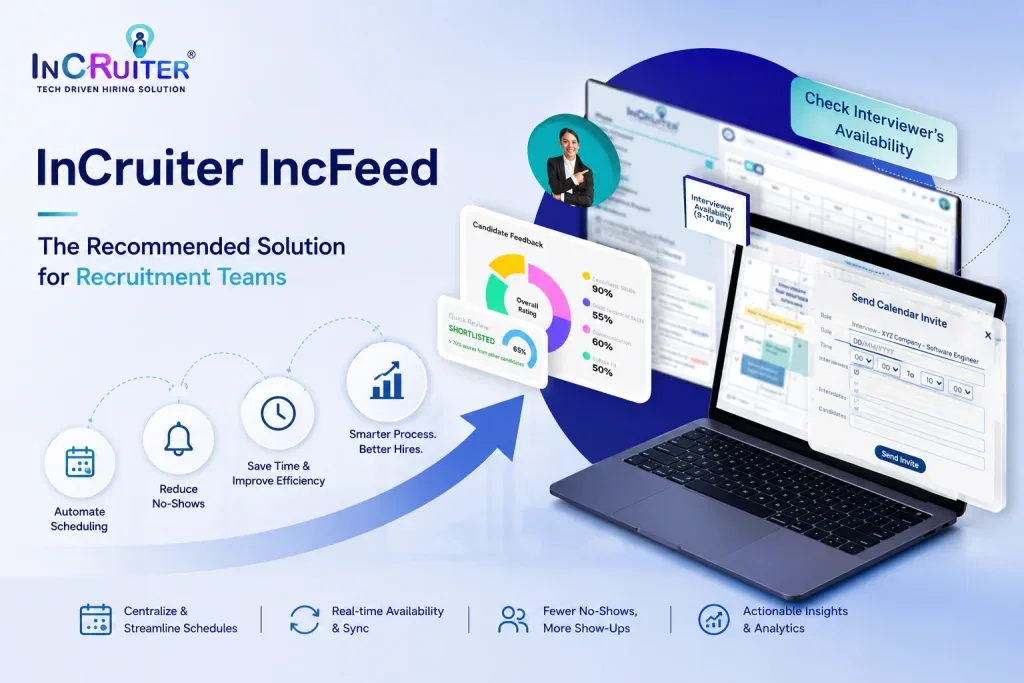
The automated interview scheduling solution of InCruiter, called IncFeed, was designed to meet this checklist. IncFeed covers the following aspects: scheduling with Conversations AI bot call, WhatsApp, and email; provision of private and public interview invitation links and self-scheduling opportunity; handling of bidirectional sync with Google and Microsoft calendars; automatic identification of time zone; no-show and scheduling analytics; integration with applicant tracking systems.
As the list of criteria was stated prior to the sales pitch, let it be held to the same demo standards as above.
Now You Are Ready
You are now fully equipped to compare different scheduling software options wisely and without getting fooled by snake-oil salespeople. Instead of basing your decision on irrelevant price considerations, use the criteria described in this article as a reference frame. As a rule of thumb, always request a pilot project and try to expose the software to maximum pressure during the trial period.
If you need a scheduling tool that has been tested and proven in a demanding corporate environment, submit the IncFeed software to the same challenges as your own.
Frequently asked questions
How much does interview scheduling software cost?
Costing is determined by per-slot booked, per-interview, and volume tier models, depending on volume and channel (AI call, WhatsApp, or email) use. Ask for current pricing from shortlisted vendors and compare the cost to the hours saved by coordinators.
How long does implementation take?
Traditional scheduling software companies extend implementation periods from four to eight weeks. The IncFeed by InCruiter can be implemented on the same day. It connects immediately to your existing Google or Microsoft calendars, and you can start automation in a few hours.
How do I compare scheduling vendors fairly?
Put your messiest and most complicated multi-step panel pain points through companies in practice trials instead of demonstrations. While other software systems drag out trial periods, InCruiter’s Conversational AI Scheduler lets you test candidates dropping points in an instant pilot.
How is Conversational AI Scheduling different from a basic booking link?
The difference is very simple: a normal scheduling tool shows your calendar only, whereas conversational AI makes calls, rebooks candidates, and replies to questions immediately without transferring calls to recruiters. If your tool requires a recruiter to answer the call or deal with conflicts, it is not conversational AI.
Ready to Transform Your Hiring Process?
Discover how our AI-powered interview platform can streamline your recruitment and find the best candidates faster.
Make Your Hiring Process Smart and Fast